How to Get Verified on Twitch: Partner Badge Guide
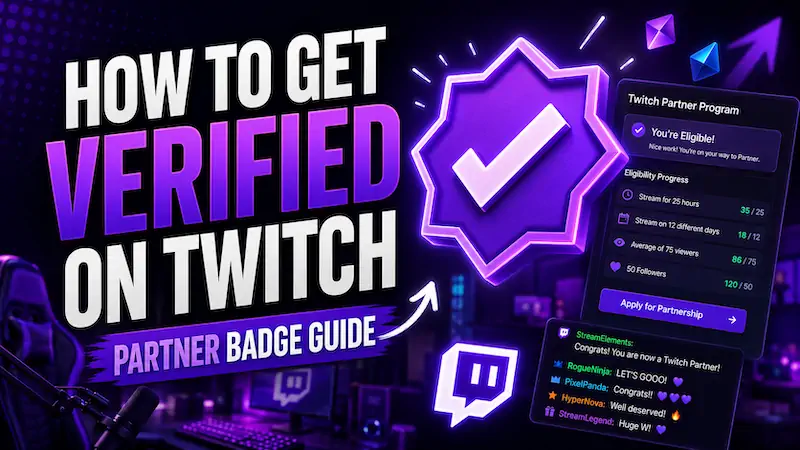
Everybody wants the purple checkmark. It makes your Twitch channel look official, safer to trust, and way less “random dude with a webcam.”
But getting verified on Twitch is not a button you spam in settings. It is tied to Partner-level trust, real viewership, and a channel Twitch actually wants to stand behind.
Quick Answer: How Do You Get Verified on Twitch?
You have to become a Twitch Partner.
The Twitch verified badge is a Partner benefit, and Twitch has said all Partners get access to the Verified Badge.
But a Twitch Affiliate does not automatically get verified… Partner status also does not happen instantly.
Twitch reviews each Partner application manually, and completing Path to Partner does not guarantee approval. The badge is the result of credibility, steady viewers, clean branding, and a real community.
What Does “Verified on Twitch” Actually Mean?
Being verified on Twitch usually means your account has the purple checkmark badge tied to Partner-level recognition.
Twitch verification gets confusing because people use the word “verified” for different things. Email verification protects your account, and phone verification helps with account security.
The actual purple checkmark is different. That verified user badge signals that Twitch has verified the account identity and granted badge access.
| Verification Type | What It Means | Does It Give the Checkmark? |
|---|---|---|
| Email verification | Confirms your Twitch account email | No |
| Phone verification | Confirms phone or account security | No |
| Affiliate status | Opens early monetization through the Affiliate program | No |
| Partner status | Higher creator status with extra Twitch badges and tools | Yes, generally |
| Brand or event exceptions | Special case platform handling | Maybe |
The verification badge uses the global badge slot, the same slot used by badges like Twitch Prime, Turbo, Bits, and other global badges. Verified users can also toggle it on or off.
Twitch Affiliate vs Twitch Partner vs Verified Badge
Affiliate is the first monetization level. Partner is the bigger creator level. The verified badge sits with Partner, not Affiliate.
| Level | Main Meaning | Common Benefits | Verified Badge? |
|---|---|---|---|
| Twitch Affiliate | Early monetization level | Subs, Bits, ads, emotes | No |
| Twitch Partner | Established creator level | More support, more tools, verified user badge | Yes |
| Verified Badge | Purple checkmark in chat | Identity signal and status symbol | Comes with Partner |
A Twitch sub or Twitch Prime sub helps a creator earn money, but it does not verify the channel. Viewers can support you all day, but the checkmark comes from Twitch Partner status.
How to Get Verified on Twitch in 7 Steps
Getting verified on Twitch is really about proving your channel is ready for Partner status.
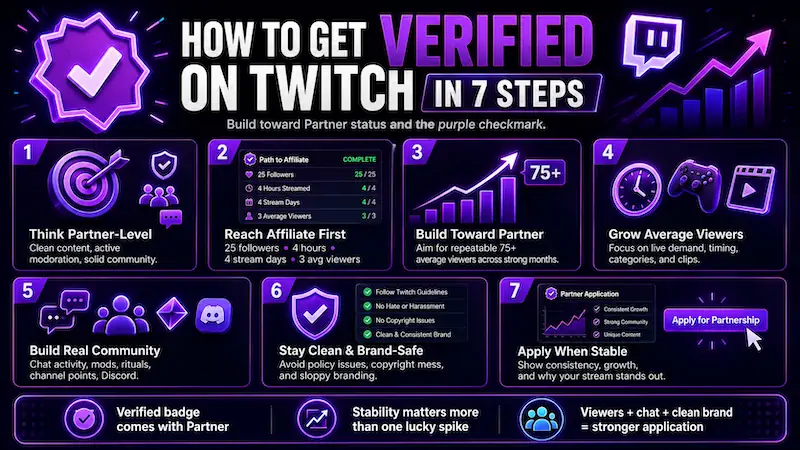
Twitch wants steady viewers, a clean brand, an active community, and a stream that feels worth backing. These steps show what to fix before you chase the purple checkmark.
Step 1: Understand That Verification Means Partner-Level Trust
Twitch verification is not a follower-count prize. Twitch wants creators who can represent the platform without turning every stream into a moderation fire.
That means your Twitch stream needs more than viewers. It needs clean content, decent pacing, active moderation, and a community that does not scare away new people. Twitch also expects Partners to follow its Community Guidelines, Terms of Service, and DMCA rules.
So… act like the badge is already watching you. Keep clips clean, control your chat and avoid copyright mess.
Step 2: Reach Twitch Affiliate First
Most streamers hit Twitch Affiliate before even thinking about Partner. Affiliate proves your channel has early traction, even if it is still small.
The current Affiliate requirements are 25 followers, 4 hours streamed, 4 different stream days, and an average of 3 viewers on 4 different days. You also need 2FA for onboarding.
Affiliate helps your stream feel more serious. You can add subs, Bits, emotes, and early monetization tools. But do not get stuck flexing Affiliate forever. The next game is average viewers, chat activity, stream consistency, and better channel branding.
Step 3: Build Toward Path to Partner
Path to Partner is where Twitch stops looking at one good stream and starts checking if people actually come back. The current target is 6 streams with 75+ average viewers in the last 30 days, plus 6 more streams with 75+ average viewers in the 30 days before that.
That means Twitch wants two strong months, not one raid, one viral clip, or one wild Saturday night where everything popped off. Your job is to make 75 viewers look normal, not lucky.
So plan your schedule around repeatable streams. Pick time slots you can hold, avoid categories where you get buried, and build a pre-stream push on Discord, TikTok, Shorts, or X.
If viewers only show up when another Twitch streamer raids you, Twitch will see that. If they keep coming back on their own, that looks Partner-ready.
Once you complete Path to Partner, the Partner application button unlocks in your Creator Dashboard. That gets you into the review line, and Twitch says it gives priority review. It still does not guarantee Partnership, so the channel needs to look strong after the button appears, too.
Step 4: Grow Average Viewers, Not Just Followers
Followers are nice. Getting average viewers on Twitch is the real test.
Twitch wants to see people actually watching, not a dusty follower number from three viral clips.
A Twitch channel with 20,000 dead followers can look weaker than a smaller channel with 90 regular live viewers. Average viewers show live demand. They prove people choose your stream when it is actually happening.
Do this before applying:
-
Pick better stream times using your analytics.
-
Avoid huge categories where you sit under 500 channels.
-
Create TikTok, YouTube Shorts, and social media clips.
-
Use Discord to pull people back before you go live.
-
Make the first 10 minutes active, not silent setup time.
This is exactly the gap our Twitch Viewer Bot can help close. While you’re building those off-platform habits and dialing in better time slots, the Viewer Bot keeps your concurrent count visible, so your channel doesn’t get scrolled past before a single real viewer gives it a chance.
Step 5: Make Your Chat Look Like a Real Community
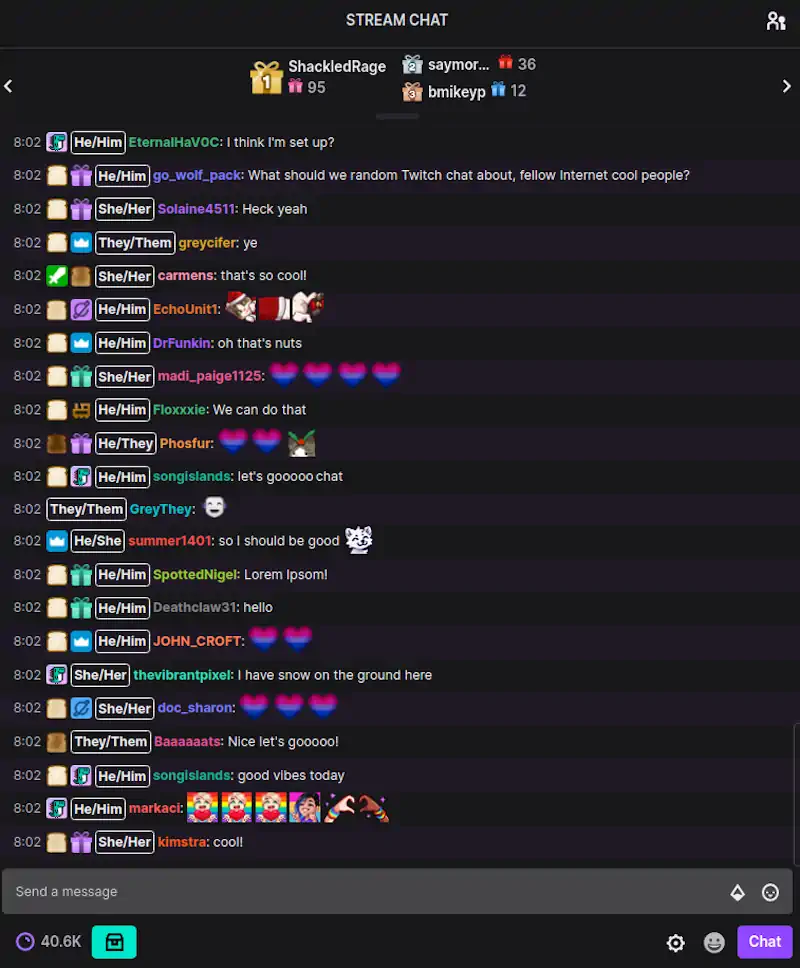
Twitch chat matters because it shows the channel has life. If your viewer count looks okay but the Twitch chat is dead, the room can still feel cold.
A strong channel has returning viewers, mods, emotes, inside jokes, rituals, and people who know each other. That is what an engaged audience looks like from the outside.
Use simple community tools:
-
Polls during key moments
-
Regular stream segments
-
Mod greetings for new chatters
-
Community games
-
Discord follow-up after previous streams
Chat badges, custom emotes, and regular jokes all help the stream feel like a place people belong.
If chat still feels too quiet while you’re building that community, our Twitch Chat Bot can help bridge the gap. It uses AI-generated accounts with real personalities that react to your stream in real time, not generic spam, but context-aware messages that make your room feel like somewhere people actually want to talk.
Step 6: Keep Your Channel Clean and Brand-Safe
Twitch Partners represent the platform. That does not mean you need to act like a corporate robot. It means your channel should not look like a policy disaster waiting to happen.
Check your panels, overlays, titles, VODs, clips, and moderation. Remove anything messy, confusing, or risky. Set clear channel rules. Use mods before your chat gets too big to control.
Avoid copyright issues, hate speech, harassment, explicit rule-breaking, and sloppy branding. Twitch is not just asking, “Can this person pull viewers?” It is also asking, “Do we want this person wearing our badge?”
Step 7: Apply for Twitch Partner When Your Metrics Are Stable
Do not apply after one freakishly good month if your channel cannot repeat it. Twitch wants stability. A clean 75 to 90 average viewer range looks better than jumping from 20 to 200 and back to 35.
When you apply, explain:
-
What makes your stream different
-
Why your community is strong
-
How often you stream
-
What your off-platform audience looks like
-
How your channel has grown over time
Keep the Partner application tight and professional. Do not sound entitled. Show Twitch why your channel is Partner-ready, not why you “deserve” the purple checkmark.
What Twitch Looks For Before Giving Partner Status
The Twitch Partner requirements are the floor. Your real job is proving your channel feels like a real show. Think of this as your Partner checklist…
| Factor | Why It Matters | How to Improve It |
|---|---|---|
| Average viewers | Shows real live demand | Better categories, time slots, and clips |
| Stream consistency | Shows reliability | Fixed schedule and planned stream time |
| Chat activity | Shows community health | Prompts, mods, rituals, and games |
| Content quality | Helps viewer retention | Better audio, pacing, overlays, and lighting |
| Brand safety | Lowers platform risk | Rules, moderation, copyright control |
| Off-platform audience | Shows wider creator value | TikTok, Shorts, Discord, X, YouTube |
| Unique angle | Helps Twitch understand the channel | Clear niche, format, and personality |
How Long Does It Take to Get Verified on Twitch?
There is no fixed timeline for getting verified. Some streamers take months. Others take years. Most streamers never reach Partner, and that is just the honest version.
Twitch growth depends on niche, content quality, stream consistency, timing, community, and off-platform reach. A viral moment can help, but stable viewership matters more.
Apply when your numbers are steady. If Twitch rejects you, reapply later with stronger data and better previous streams.
Can You Get Verified on Twitch Without Being Partner?
For normal creators, the Twitch verified badge is tied to Partner status. There may be special cases for brands, organizations, events, or platform-managed accounts, but the regular streamer path is Partner.
There is no public “buy verification” button as on Meta platforms. There is no normal “request badge only” form for regular creators.
Also, avoid anyone selling custom verified badges, accounts verified, or guaranteed verified badges. If a random Discord seller says they can get you verified on Twitch for $200, congratulations, you have found a scam speedrun.
Common Reasons Twitch Partner Applications Get Rejected
-
Viewership is too inconsistent across recent streams.
-
Average viewers came from raids, spikes, or unusual events.
-
Twitch chat looks quiet compared to the viewer count.
-
The content lacks a clear identity or format.
-
The stream schedule changes too much.
-
Moderation or Community Guidelines concerns make the channel risky.
-
The application does not explain why the channel is Partner-ready.
-
The streamer applies too early after one strong month.
-
Metrics drop after applying, which weakens the case fast.
Where ViewBotter Fits In
Path to Partner is a numbers game, and numbers are exactly where ViewBotter helps. We’re an all-in-one Twitch growth platform built for streamers working their way up, not skipping the climb.
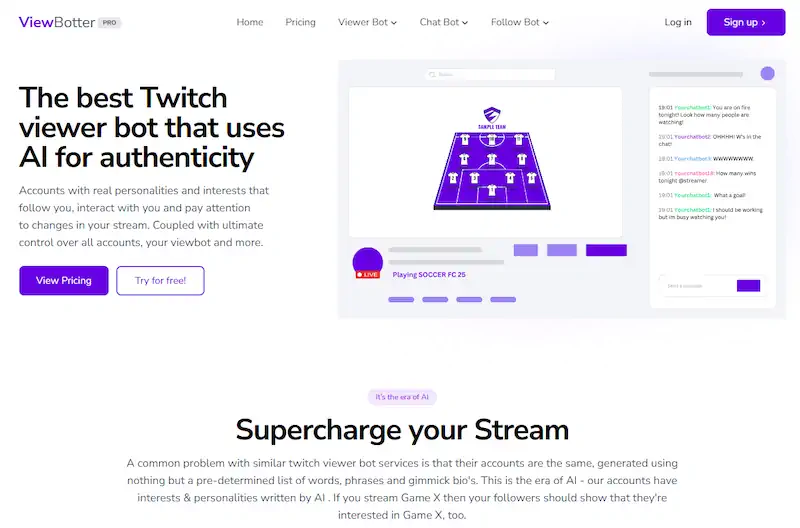
The Twitch Viewer Bot gives your stream early visibility, so you’re not invisible while building real demand.
The Twitch Chat Bot adds chat momentum, making your room feel active during those early, quieter streams.
Not sure where to start? Test everything with a free trial before committing, or check our pricing to find a plan that fits your growth stage.
FAQ
How do you get verified on Twitch?
For most streamers, getting verified on Twitch means becoming a Twitch Partner. The Verified User Badge is a Partner benefit, and Partner applicants usually need to complete Path to Partner or show a large engaged audience elsewhere.
Do Twitch Affiliates get verified?
No, Twitch Affiliates do not automatically get the verified badge. Affiliate is the first monetization level. The purple checkmark is generally tied to Partner status, not the Affiliate program.
What is the Twitch verified badge?
The Twitch verified badge is the purple checkmark badge linked to recognized Partner-level accounts. It helps show that the user is the real account, especially when they appear in chat.
Can I apply for Twitch verification directly?
Normal streamers do not usually apply for the badge by itself. The standard route is applying for Twitch Partner after meeting growth, content, and community expectations.
Does completing Path to Partner guarantee verification?
No. Completing Path to Partner can unlock the Partner application button and priority review, but it does not guarantee Partnership. Twitch still reviews the application manually.
How many viewers do you need to get verified on Twitch?
Twitch looks for a stable 75 average viewers across enough qualifying streams before application, plus content quality, rules compliance, and community strength.
Can brands get verified on Twitch without streaming?
Some brand, organization, event, or platform-managed accounts may be handled differently by Twitch. For normal creators and most Twitch channels, the practical route to the verified badge is Twitch Partner status.
Can ViewBotter help me get verified on Twitch?
It can help with the pieces that make your stream look stronger, visibility and chat momentum, both of which matter when you’re building toward Partner. What it can’t do is promise a verified badge or guarantee approval, since Twitch reviews every Partner application by hand and looks at the full picture, not just numbers.